The quick answer
Every version of the LiteSpeed Cache plugin below 7.9.2 has a stored cross-site scripting bug, tracked as CVE-2026-113499 and rated 7.5 (High). Someone with no account on your site can trigger it through a published comment. If you run LiteSpeed Cache, update it to 7.9.2 or later today. No attacks have been reported so far, but full technical details are due out on November 22, 2026.
LiteSpeed Cache is one of the most installed plugins on WordPress, with more than 7 million active installs. It is often switched on by the hosting company, not by the site owner, which means plenty of people run it without knowing it is there. That is exactly the kind of plugin that gets left behind when a security fix comes out.
This guide explains what the bug is, how to tell in a minute whether your site is exposed, how to update safely, and what to do if you cannot update straight away.
Am I affected?
You are affected if LiteSpeed Cache is installed on your site and its version number is anything below 7.9.2. There is no older branch that got a separate fix. Version 7.9.2, released on October 20, 2026, is the first safe version, and it is also the current version on WordPress.org.
Affected and fixed versions
| If your LiteSpeed Cache version is | Status | What to do |
|---|---|---|
| 7.9.1 or any older version | Vulnerable | Update to 7.9.2 or later |
| 7.9.2 or later | Fixed | Nothing for this bug. Keep updates on. |
| Fact | Detail |
|---|---|
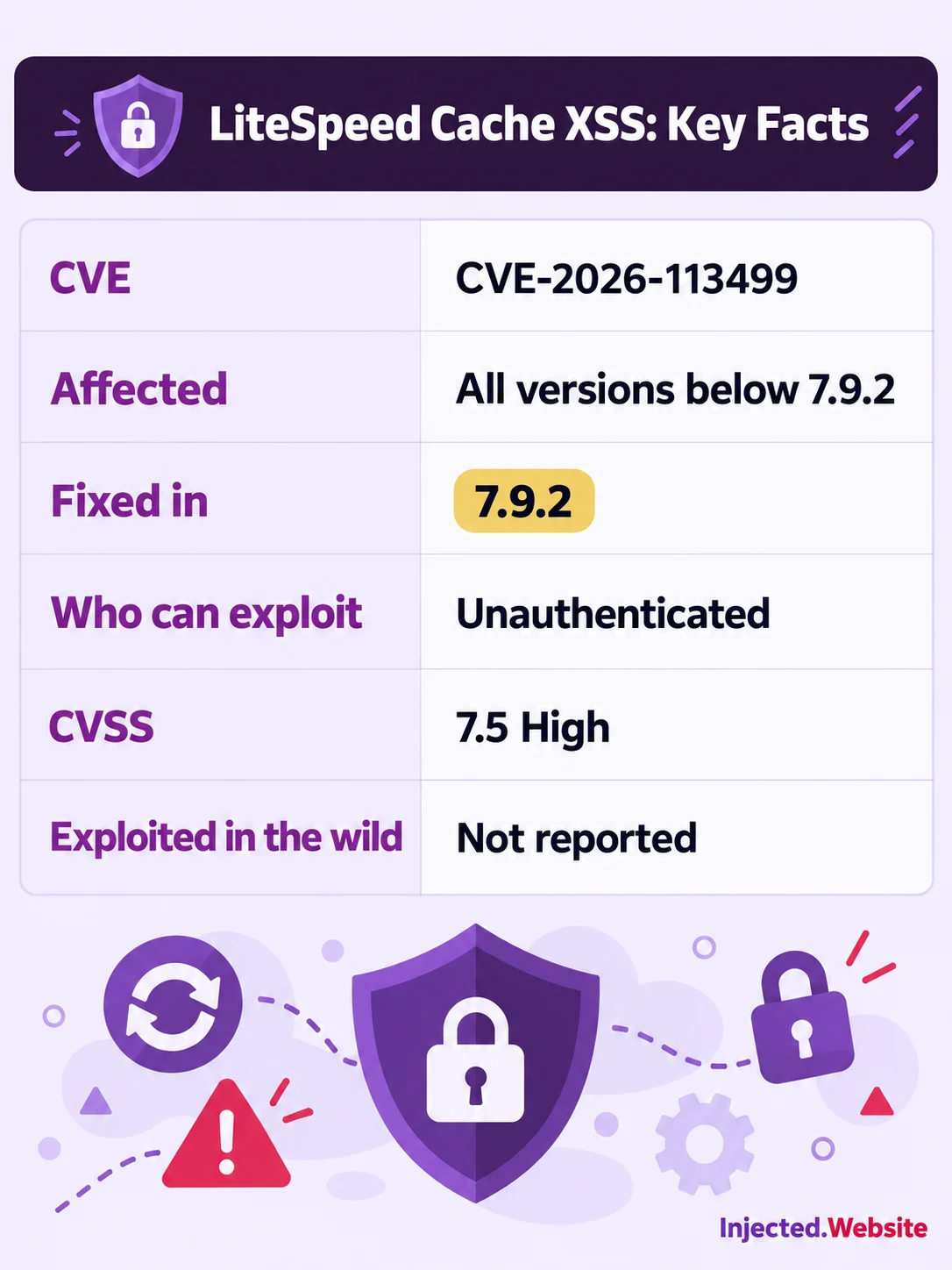
| CVE ID | CVE-2026-113499 |
| Type | Unauthenticated stored cross-site scripting (CWE-79) |
| Severity | CVSS 3.1 score 7.5, High |
| Who can start it | Anyone, no login needed, through a comment that gets published |
| Fix released | 7.9.2, October 20, 2026 |
| Made public | WPScan on October 21, 2026. CVE record and Patchstack on October 23, 2026 |
| Found by | Jakub Herman |
| Exploited in the wild | Not reported as of November 1, 2026 |
The same release also fixed a second stored XSS bug found by the same researcher, CVE-2026-113500, which works through the plugin’s font display optimization, plus a low-severity bug, CVE-2026-113501, that lets a logged-in Subscriber dismiss admin notices that should stay on screen. The fix for all three is the same: version 7.9.2.
Who should move fastest
The attacker does not need an account. What they do need is a comment that appears on your site, and the affected plugin feature switched on. So the sites at most risk are the ones where strangers can get text onto a public page:
- Blogs and news sites with open comments, especially if comments go live without you approving them first.
- Shops with product reviews. WooCommerce stores reviews as WordPress comments, so a store with open reviews is in the same position as a blog.
- Community, course and membership sites where comment threads are busy and nobody checks each one.
- Sites where an administrator browses the front end while logged in. The script runs in the browser of whoever views the page, and an administrator is the visitor an attacker wants.
- Sites with LiteSpeed Cache installed by the host. If you did not install it yourself, you may not know it needs updating.
If comments are switched off everywhere on your site, or every comment waits for your approval and you read them before approving, your exposure to this bug is much lower. Update anyway. The 7.9.2 release fixes a long list of other hardening issues too.
What the bug is, in plain English
Cross-site scripting, or XSS, means an attacker gets their own script to run inside someone else’s browser while that person views your site. “Stored” means the script is saved on your site, in this case inside a comment, and runs again for every visitor who loads the page. “Unauthenticated” means the attacker does not need to log in to plant it.
LiteSpeed Cache rewrites the HTML of your pages to make them faster, for example to point files at a CDN. According to the CVE record, one of those rewriting routines was meant to touch only stylesheet content but did not stay inside it. In some cases it removed a quote mark that closes off part of the page’s HTML. On its own that is a small slip. Combined with the way comment author details were printed, it meant a published comment could break out of its normal place on the page and add instructions that the browser would run as script.
The CVE title ties this to the CDN feature that rewrites URLs inside inline CSS, and the 7.9.2 changelog lists a matching fix: “Prevented HTML injection during inline CSS URL rewriting.” The official records only say “the affected option” must be enabled and do not name the exact setting, so we are not going to guess which switch it is. Treat every site on an old version as exposed.
Why does a script in a comment matter? If a logged-in administrator views the page, the script runs with that administrator’s powers. That is how a small bug turns into a new hidden admin account, a malicious plugin, or spam redirects. The CVSS score reflects this: the impact is rated high, and the score is held at 7.5 rather than higher because the attack needs a few conditions to line up and needs someone to view the page.
As of November 1, 2026, nobody has reported attacks using this bug. CISA’s assessment in the CVE record lists exploitation as “none,” and it is not on CISA’s Known Exploited Vulnerabilities list. Patchstack says it expects the bug to be exploited, and WPScan plans to publish its proof of concept on November 22, 2026. Once that is public, copying the attack gets much easier. Update before then.
How to check and fix your site, step by step
Step 1: Find your LiteSpeed Cache version
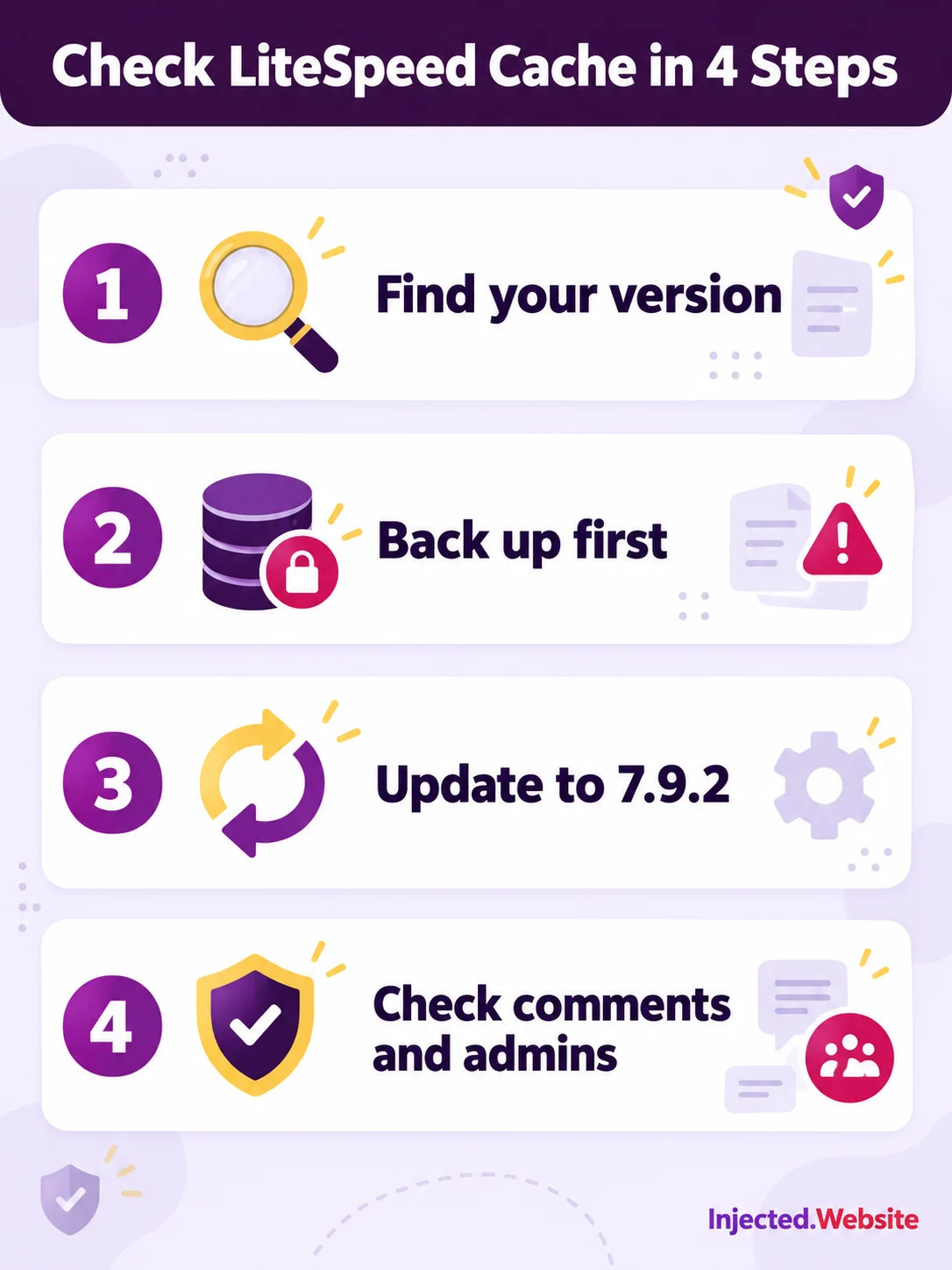
Log in to WordPress and go to Plugins, then Installed Plugins. Find LiteSpeed Cache in the list. The version number is shown under its name. If an update is waiting, you will see a notice with an “update now” link.
If you manage sites from the command line, this prints the version:
wp plugin get litespeed-cache --field=versionStep 2: Compare it with 7.9.2
If the number is 7.9.2 or higher, you are covered for this bug and can skip to Step 6. If it is anything lower, such as 7.9.1, 7.8 or a 6.x version, you need to update.
Step 3: Back up before you touch anything
Take a fresh backup of the database and at least the wp-content/plugins/litespeed-cache folder. A full site backup from your host is even better. Check that the backup file is not empty before you carry on. If the update goes wrong, this is what lets you put things back in minutes.
Step 4: Update LiteSpeed Cache
- From the dashboard. On the Plugins screen, click “update now” under LiteSpeed Cache.
- From your hosting panel. Tools like cPanel’s WP Toolkit can update plugins across every site on the account.
- From the command line. Run the command below.
wp plugin update litespeed-cacheVersion 7.9.2 needs WordPress 6.0 or newer and PHP 7.4 or newer. If your site is older than that, the update will not be offered, and the site needs bigger work first. That is a good moment to get help.
Step 5: Verify and test
- Go back to the Plugins screen and confirm the version now reads 7.9.2 or higher.
- Purge the cache from the LiteSpeed Cache menu, and clear any CDN cache, so visitors get freshly built pages.
- Open your key pages in a private browser window: the home page, a blog post with comments, checkout or booking, and your contact form. Make sure they look and work as before.
Step 6: Check comments, admins and your other plugins
No attacks have been reported, so this is a sensible tidy-up, not a cleanup. While you are logged in:
- Look through recently approved comments and reviews for odd author names, strange links or comments that look broken on the page. If you find one you do not trust, move it to trash.
- Open Users and filter by Administrator. Every name there should be someone you know.
- Update your other plugins and themes in the same session. A fix in one plugin does nothing for the rest.
- If you are also behind on WordPress itself, read our guide to the WordPress 7.1.4 security update, which came out the same week.
If you cannot update today
The attack needs a published comment, so the quickest stopgap is to stop comments going live on their own. Go to Settings, then Discussion and tick “Comment must be manually approved.” Then do not approve anything unusual until you have updated. This is a short-term measure, not a fix. Plan the update for the same week.
What we saw on the sites we manage
On October 31, 2026, during our sweep after the WordPress 7.1.4 security release, we checked more than 350 WordPress installs we manage. LiteSpeed Cache below 7.9.2 was running on 32 of them.
For each of those sites we did the same thing, in the same order:
- Took a fresh backup of the database and the plugin folder.
- Updated LiteSpeed Cache to 7.9.2.
- Checked the WordPress core files against the official WordPress.org checksums.
- Compared the home page response before and after the update.
No site broke. The bigger lesson was where the gaps were. In that sweep, plugins were a bigger gap than WordPress core: far more sites needed the plugin fix than the core update. WordPress updates itself on most sites. Plugins often do not, and a caching plugin that the host installed years ago is easy to forget.
Frequently asked questions
Which LiteSpeed Cache versions are vulnerable?
Every version below 7.9.2. The fix is in 7.9.2, released on October 20, 2026, and any later version.
What is CVE-2026-113499?
It is the ID for an unauthenticated stored cross-site scripting bug in LiteSpeed Cache, linked to the way the plugin rewrites inline CSS for a CDN. It has a CVSS 3.1 score of 7.5, which is rated High.
Has the LiteSpeed Cache XSS bug been exploited?
Not as of November 1, 2026. No attacks have been reported and it is not on CISA’s Known Exploited Vulnerabilities list. WPScan plans to publish technical details on November 22, 2026, so update before then.
Does an attacker need an account on my site?
No. The bug is unauthenticated. The attacker needs a comment of theirs to be published on your site, and the affected plugin feature to be switched on.
Will updating LiteSpeed Cache break my site?
It is unlikely. We updated 32 sites to 7.9.2 and none broke. Back up first, purge the cache after, and test your key pages.
I cannot update right now. What can I do?
Go to Settings, then Discussion, and tick “Comment must be manually approved,” so no new comment goes live without you seeing it. This lowers the risk but is not a fix. Update as soon as you can.
Does updating WordPress to 7.1.4 fix this?
No. WordPress core updates only patch WordPress itself. LiteSpeed Cache is a plugin and needs its own update to 7.9.2.
Get a heads-up when a plugin you use has a security hole
We watch WordPress, the popular plugins and the servers underneath them every day. When something serious drops, we send a short, plain-English alert with what to check and how to fix it. Free, no spam, unsubscribe any time.
Running several sites, or not sure what your host installed?
This is what we do every time a plugin fix like this lands: back up, update, verify against the official files, and test the pages that matter. If you would rather not do it yourself, or you have a stack of sites to check, contact Injected and we will handle it for you on contract. If something already looks wrong, our malware and hack repair team can clean it up, and our WordPress security hardening service helps keep it from happening again.
Sources
- Patchstack: LiteSpeed Cache below 7.9.2, unauthenticated stored XSS
- WPScan: LiteSpeed Cache below 7.9.2, unauthenticated stored XSS via CDN inline CSS rewriting
- CVE-2026-113499 record, CVE.org
- CVE-2026-113500 record, CVE.org
- CVE-2026-113501 record, CVE.org
- LiteSpeed Cache changelog, WordPress.org
- Known Exploited Vulnerabilities Catalog, CISA
- LiteSpeed Cache CDN settings documentation, LiteSpeed